Projects2025
PillMate AI
A simple medication reminder app, and one of my first attempts at building a mobile app around personal healthcare.
- Year
- 2025
- Role
- Developer
- Duration
- 2 months
- Team
- Nicholas Lu
- NLP
- OCR
- Mobile app
TL;DR
PillMate AI is one of my first projects: an attempt at building a mobile app centred on personal healthcare. It is a simple reminder app for tracking medications that also keeps your medical history, exports it as a PDF, and builds a health feed around your condition. I built it mainly to learn NLP at a more fundamental level.
Who it's for
It is aimed at people who depend on others to stay on top of their medication, especially older people who live alone. For them a missed dose often goes unnoticed. So the app doesn't only remind the person taking the medicine. It also sends a reminder to an emergency contact number, so that someone else is in the loop.
What it does
Reminders and adherence
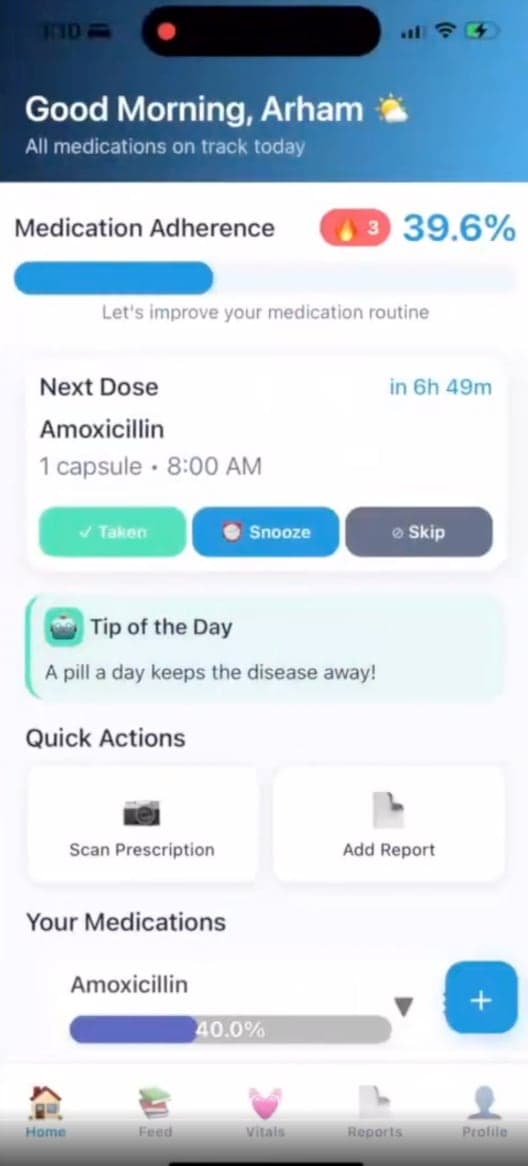
The home screen shows the next dose, what it is, and how long until it is due. Each dose can be marked as taken, snoozed, or skipped. From those taps the app keeps an adherence percentage and a streak, both for the day overall and for each medication, so it is obvious at a glance whether a routine is holding.
A reminder for someone else
Alongside the reminder on the phone, one also goes to an emergency contact number. A family member or carer can then follow up, which matters most when the person lives alone.
Scanning a prescription
Typing in drug names and doses is tedious and easy to get wrong. A prescription can instead be scanned with the camera. OCR reads the text off the photo and NLP picks out the medications, so they are logged without typing.
Medical history as a PDF
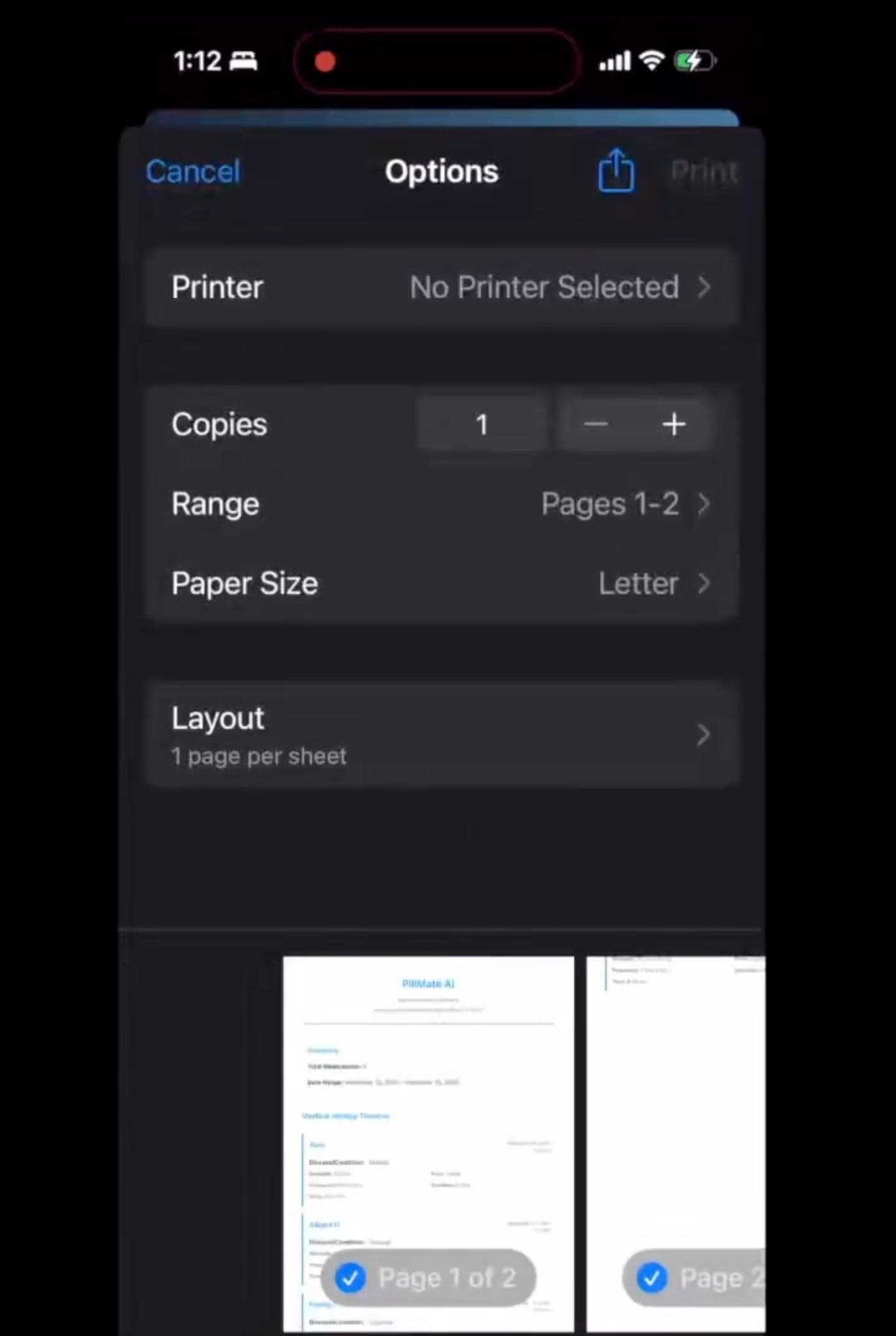
Every medication the app has tracked becomes part of a medical history. That history can be converted into a downloadable PDF showing past medications as a timeline, which can be saved, printed, or handed to a doctor.
A feed built around the condition
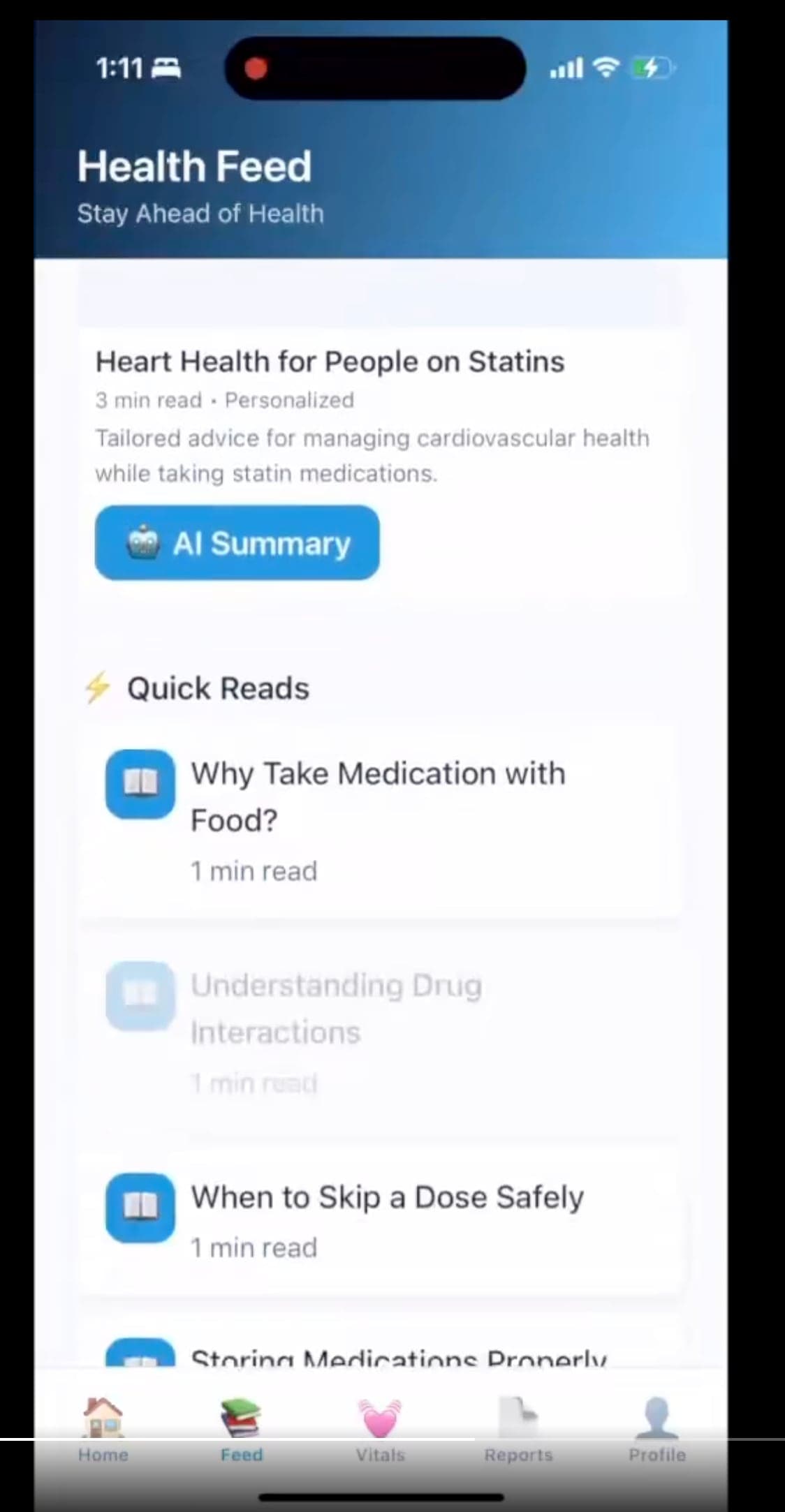
The feed curates reading about maintaining diet and health that is specific to the disease, so the advice matches what the person is being treated for. Someone on statins, for example, sees an article on heart health for people on statins. Longer articles come with an AI summary, and there are one-minute reads on everyday questions such as why some medication is taken with food, or when it is safe to skip a dose.
What I learned
The point of this project was to understand NLP at a more fundamental level. Turning a photo of a prescription into a medication record is two separate problems: reading the text, and then understanding it.
OCR: from pixels to characters
Optical character recognition turns an image of text into actual text. It happens in stages:
- Clean the image. The photo is converted to grayscale, straightened if it was taken at an angle, and its contrast is raised so ink stands out from paper. Phone photos have shadows, glare and skew, and every later stage depends on this one.
- Find the text. A detector locates the regions of the image that contain writing and splits them into lines and words, each with a bounding box.
- Recognize it. Each line is passed to a recognition model. A convolutional network turns the strip of pixels into a sequence of visual features, and a sequence model reads those features left to right and outputs the most likely characters. It reads the line as a whole instead of one letter at a time, which is why it can cope with letters that touch or overlap.
- Score it. The output is text plus a confidence for each word. Low confidence is a signal to double-check that word instead of trusting it.
Printed labels read well. Handwriting is much harder, and the errors are predictable: 0 and O, 1 and l, 5 and S, rn and m.
NLP: from characters to meaning
OCR gives a string of text. It doesn't know that "Amoxicillin" is a drug, that "500 mg" is a dose, or that "twice daily" is a schedule. Natural language processing is what extracts that structure.
- Tokenize. The text is split into tokens: words, numbers, units and punctuation. "500mg" becomes a number and a unit.
- Normalize. Case is unified, and abbreviations are expanded to one standard form. Prescriptions are full of shorthand: "BID" and "1-0-1" both mean twice a day.
- Recognize entities. Each token is labelled by its role: drug name, strength, form, frequency, duration. This is named-entity recognition. Parts of it are well served by plain patterns, since a number followed by "mg" or "ml" is almost always a strength. Drug names need a vocabulary, or a model that has learned what one looks like from the words around it.
- Repair OCR mistakes. A misread drug name can be matched to the closest real one by edit distance, the number of single-character changes needed to turn one string into another. "Amoxicil1in" is one edit from "Amoxicillin".
- Link the pieces. A dose belongs to a particular drug, and so does a frequency. Grouping the entities line by line turns a flat list of labels into records: this drug, at this strength, this often, for this long.
The result is a structured medication record, which is what the reminders, the PDF and the feed are all built on.
What stayed with me
The two halves fail differently. OCR fails on the image, through blur, glare and handwriting. NLP fails on the language, through abbreviations and layouts it hasn't seen. Each stage passes its mistakes to the next, so the quality of the final record is set by the weakest step. In an app that reminds someone to take medicine, a wrong dose is worse than a missing one, which is why a low-confidence reading should be confirmed by the person before it is saved.